

The BYD NFC card and phone key are the backup options many owners ignore — until the key fob is flat, lost, or locked inside the car. Used properly, they can unlock, start, and share the car without a physical key.
This guide covers the China-spec NFC card and phone key: what they are, how to set them up, which phones work, how to share access, and what to do when the car does not detect them.
Quick answer: hold the NFC card or NFC phone against the left exterior mirror to unlock or lock the car. Set up a phone key in the BYD App under Digital Key, then test it on the mirror before relying on it. Share access through the app, and keep the NFC card as a battery-free backup.
What is the BYD NFC key?
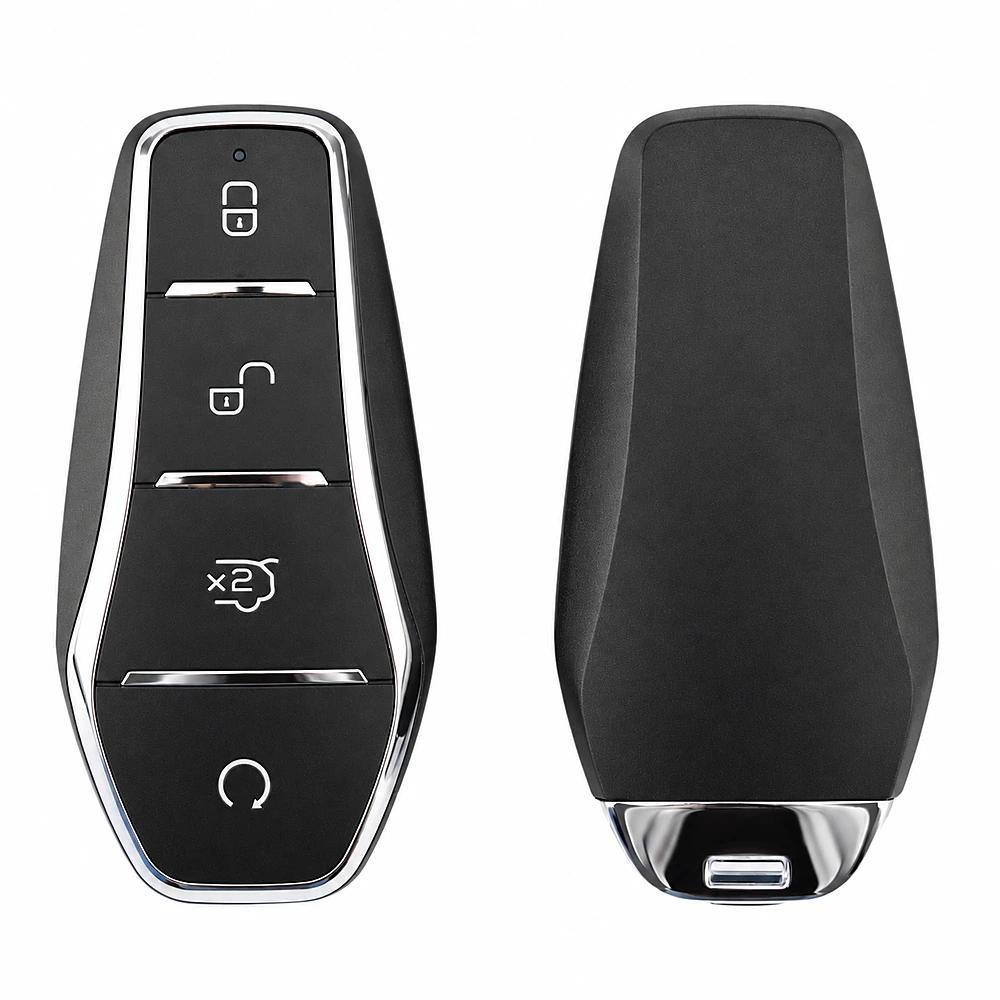
BYD uses three main keyless options: the electronic key fob, the NFC card, and the phone key. The fob uses radio frequency; the NFC card and phone use near-field communication, which means they must be held close to the reader.
The reader is in the left exterior mirror. Hold the card or phone against the mirror area marked with the NFC symbol. The car unlocks or locks, and you can start it once inside.
NFC is not the same as Bluetooth. Bluetooth key works at a distance and can support approach unlocking on some models. NFC is a deliberate tap, which makes it useful when you do not want the car to unlock as you walk past.
Which BYD models support NFC and phone keys?
Most 2025 China-spec BYD models support an NFC card, a phone key, or both. The exact package depends on trim and model year. Higher trims are more likely to include the card and the full digital-key feature set; some lower trims may support only the fob and app remote control.
Before you buy, ask the dealer to confirm three things: whether an NFC card is included, whether the phone key is enabled for your market, and whether the car has the NFC reader in the mirror. A photo of the mirror and a live demonstration are better than a brochure claim.
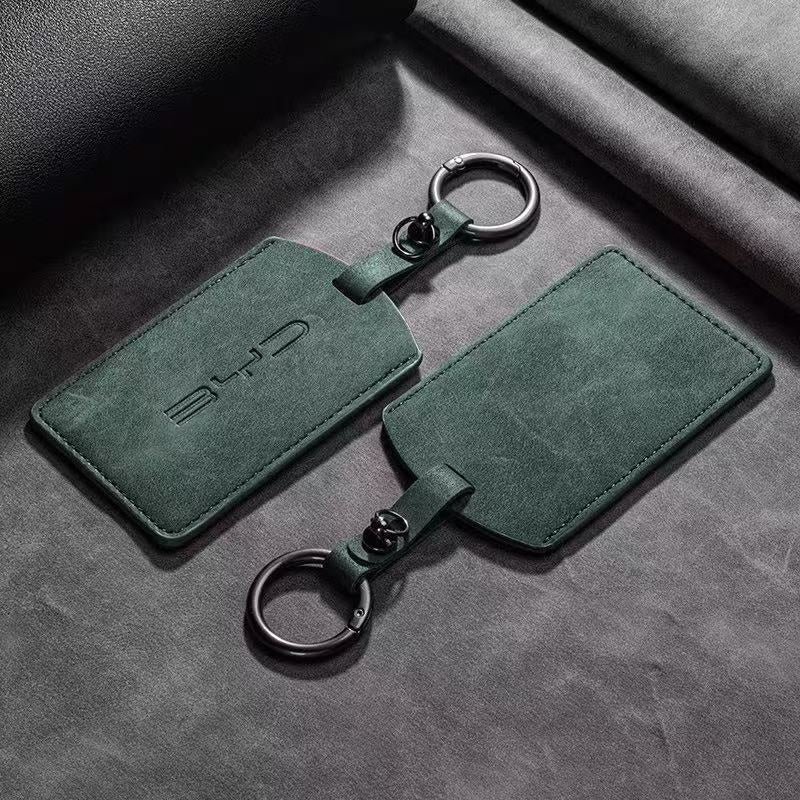
How to set up the NFC card
The NFC card is usually paired to the car when it is delivered. If you buy a used car or a second card, the pairing must be done by a BYD dealer or with the proper diagnostic tool.
- Make sure the car is parked and the power is on or off as required by the manual.
- Hold the card flat against the NFC area on the left exterior mirror.
- Wait for the hazard lights to flash and the doors to unlock.
- Open the door within about 30 seconds and start the car.
The card is a small electronic device. Do not bend it, leave it on the dashboard in hot sun, or place it on a wireless charging pad. The read distance is only about 1–2 cm, so hold it against the mirror rather than waving it nearby.
How to set up the phone key
The phone key is set up through the BYD App. The exact menu name varies by app version and market, but the flow is usually:
- Log in to the BYD App and complete owner verification.
- Open Digital Key or Vehicle Key.
- Select Add Phone Key and follow the on-screen steps.
- Hold the phone against the mirror to pair it.
- Test lock, unlock, and start before you rely on it.
You may need to enable NFC in the phone settings and allow the BYD App to use it. On some phones, a thick case or a metal plate can block the signal; remove the case if pairing fails.
Which phones are supported?
Most NFC-capable iPhones and Android phones can work with the BYD phone key, but support is not universal. It depends on the phone model, operating system, the BYD App version, and the market.
iPhone support in particular varies by region and app release. Do not assume that because a phone has NFC, the BYD key will work. Test it with the actual car and app before you travel without the fob. Some owners keep the NFC card in their wallet as a fallback.
Sharing access with family or a valet
The BYD App can share digital key access with another user. The exact options depend on the app version: some allow a time-limited key, others allow full access until you revoke it.
For a family member, share the phone key and ask them to install the app and complete verification. For a valet or short-term user, the NFC card is often simpler: hand over the card, and take it back when the car is returned.
Revoke access when it is no longer needed. If a phone is lost, remove the digital key in the app and contact a dealer if you cannot revoke it remotely.
NFC vs phone key vs fob
| Option | Best for | Limitation |
|---|---|---|
| NFC card | Backup, valet, wallet | Must tap the mirror; can be lost or damaged |
| Phone key | Daily use, sharing | Needs phone battery and app; support varies |
| Key fob | Remote start, trunk, find-car | Battery can go flat; bulky |
| Bluetooth key | Approach unlock on supported cars | Can be less consistent; phone battery |
Troubleshooting
| Symptom | Likely cause | What to do |
|---|---|---|
| Card not detected | Wrong position, dirty mirror, damaged card | Hold flat on the NFC mark; clean the mirror; try the other side or the fob |
| Phone not detected | NFC off, thick case, app not logged in | Enable NFC, remove the case, reopen the app, re-pair |
| Car asleep | Vehicle in deep sleep | Press the door micro-switch or use the fob once, then tap again |
| Key stopped after phone update | App or OS compatibility | Update the BYD App, re-add the key, test with the card |
| Lost phone | — | Revoke the digital key in the app; use the card or fob; contact a dealer |
| Card damaged | Bent, hot, or wet | Replace through a dealer; the card cannot be repaired |
China-spec vs export
China-spec cars are the most likely to include the full NFC card and phone-key package. Export versions may use a different app, a different NFC module, or a fob-only setup. If you are importing, test the card and phone key before shipping, and ask the dealer to include a second card if possible.
For a model-specific key guide, see our BYD Seal smart key guide. For the wider range, browse BYD models.
FAQ
Can I use my phone key without internet?
NFC works without a mobile network once the key is set up. The app may need a connection for setup, sharing, or revoking access.
Does the NFC card need a battery?
No. The card is passive and is powered by the car’s reader. That is why it is a useful backup when the fob battery is flat.
Can I use an Apple Watch as a BYD key?
Support varies by market and app version. Check the BYD App’s supported-device list before relying on a watch.
How many phones can I pair?
The limit depends on the model and app version. Most cars support at least one primary phone and one shared user; check the app for the current limit.
What if I lose the NFC card?
Use the fob or phone key, and ask a dealer to unpair the lost card and issue a replacement. Do not rely on a lost card being inactive.
References
- BYD. NFC Digital Key User Guide. BYD, 2025.
- BYD. 2025 Seal Owner’s Manual. BYD China, 2025.
- BYD. 2025 Sealion 06 DM-i Owner’s Manual. BYD China, 2025.
- BYD. User Manual Download Centre. byd.com/cn/user-manual.
Image: BYDCN media library.
Need a China-spec BYD with NFC and phone-key support? Browse our BYD models or send us your requirement.


 English
 Portuguese
 French
 Turkish
 Russian
 Arabic
 Spanish