

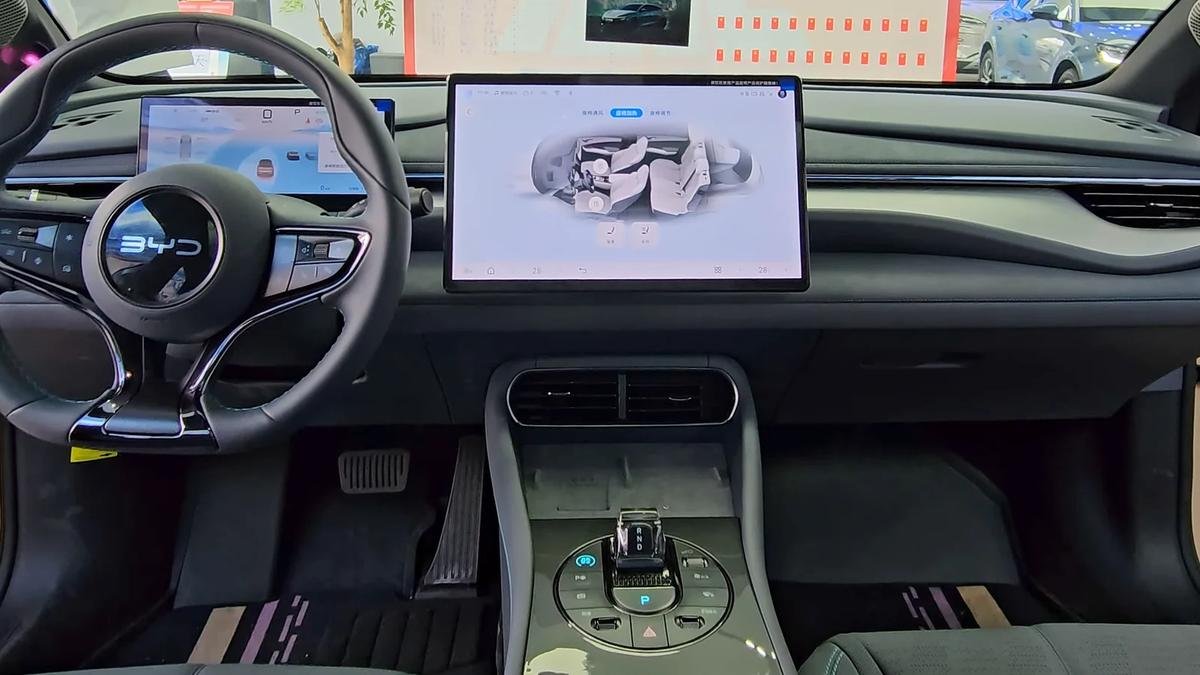
One of the most recognisable features of a modern BYD interior is the central touchscreen that can turn from landscape to portrait. It is useful for navigation, video, and apps that are designed for a vertical layout, but the control is not always obvious — and on some models the screen can appear stuck.
This guide covers the China-spec BYD rotating screen: which models have it, how to rotate it, how to lock it in landscape, and what to check if it stops moving.
Quick answer: tap the rotate icon in the screen’s quick controls, say “你好小迪,旋转屏幕” on a China-spec car, or press the steering-wheel custom button on models that support it. To keep the screen horizontal, turn off auto-rotate in the display settings. If it is stuck, close the app, reboot the display, and check for an obstruction — do not force it by hand.
Which BYD models have a rotating screen?
Most BYD models with the floating DiLink screen use a rotating mechanism. The exact size and whether rotation is fitted depends on the model, trim, and model year.
| Model | Typical screen | Notes |
|---|---|---|
| Seagull | 10.1-inch | Rotating screen on the current China-spec model |
| Dolphin | 12.8-inch | Rotating screen; check trim |
| Yuan Up / Yuan Plus | 12.8-inch | Rotating screen on most trims |
| Seal 05 / Seal 06 | 12.8- or 15.6-inch | Size and rotation vary by trim |
| Seal / Seal 07 | 15.6-inch | Rotating screen on supported trims |
| Sealion 06 / Sealion 07 | 15.6-inch | Rotating screen; check trim |
| Qin Plus / Qin L | 12.8- or 15.6-inch | Size varies by trim |
| Song Pro / Song L | 12.8- or 15.6-inch | Rotating screen on most trims |
| Han / Tang L / Xia | 15.6-inch | Rotating screen; dedicated or custom button on some trims |
Some lower trims and some export versions use a fixed screen. If you are buying a China-spec car for export, confirm the hardware with the dealer or VIN rather than assuming every trim rotates.
How to rotate the BYD screen
1. Use the on-screen shortcut
Tap the rotate icon in the screen’s status bar or quick-control panel. On many versions you can also swipe down from the top of the display to open the shortcut panel and tap the rotation control. The icon usually shows a screen with a curved arrow.
2. Use the voice command
On a China-spec car, say “你好小迪,旋转屏幕” (Hello Xiao Di, rotate the screen). The system may answer and rotate the display. English voice control varies by market and software version; if your car supports English commands, try “Hey BYD, rotate the screen.”
3. Use the steering-wheel button
Some models map screen rotation to the steering-wheel custom button. On the Seal and Sealion 06, a short press of an unassigned custom button rotates the display, while a long press opens the customisation menu. The Han uses a dedicated rotation key on the steering wheel. Button layout differs by model, so check your owner’s manual before trying.
4. Let the app decide
Some apps force a landscape or portrait layout. When you open them, the screen may rotate automatically. If you want to control the orientation yourself, close the app or turn off auto-rotate in the display settings.
How to lock the screen in landscape
Open the display settings and look for Screen Rotation, Auto Rotate, or Fixed Landscape. The exact wording changes with OTA updates, but the logic is the same:
- Rotate the screen to the orientation you want.
- Open Settings → Display.
- Turn off auto-rotate, or select the fixed landscape option.
If you prefer portrait, rotate the screen first, then disable auto-rotate. Some apps may still force their own orientation; that is normal.
When rotation is useful — and when it is not
Landscape is the better layout for maps, video, split-screen navigation, and the surround-view camera. Portrait works well for list-based navigation, short videos, and some social apps. Not every app supports portrait, so the screen may rotate back on its own.
Some video and game apps restrict playback while the car is moving. That is a safety feature, not a rotation fault. The screen itself may still rotate; the app simply limits what it shows.
Common problems and fixes
| Symptom | Likely cause | What to do |
|---|---|---|
| Screen will not rotate | Auto-rotate is off, or an app has locked orientation | Check Display settings; close the app and try the rotate icon again |
| Stuck halfway | Obstruction or mechanism fault | Do not force it by hand; remove any object, reboot, and contact a dealer if it repeats |
| Black screen | Software freeze or 12V issue | Hold the power button to reboot; check the 12V battery and fuse; visit a dealer if it persists |
| Grinding or clicking | Damaged gear or debris in the mechanism | Stop using the rotation function and have it inspected |
| Rotates by itself | Auto-rotate is on, or an app is switching orientation | Lock the orientation in Display settings |
| Touch is offset after rotation | Software glitch or calibration | Reboot; install the latest OTA; ask a dealer to recalibrate if needed |
China-spec vs export: what changes
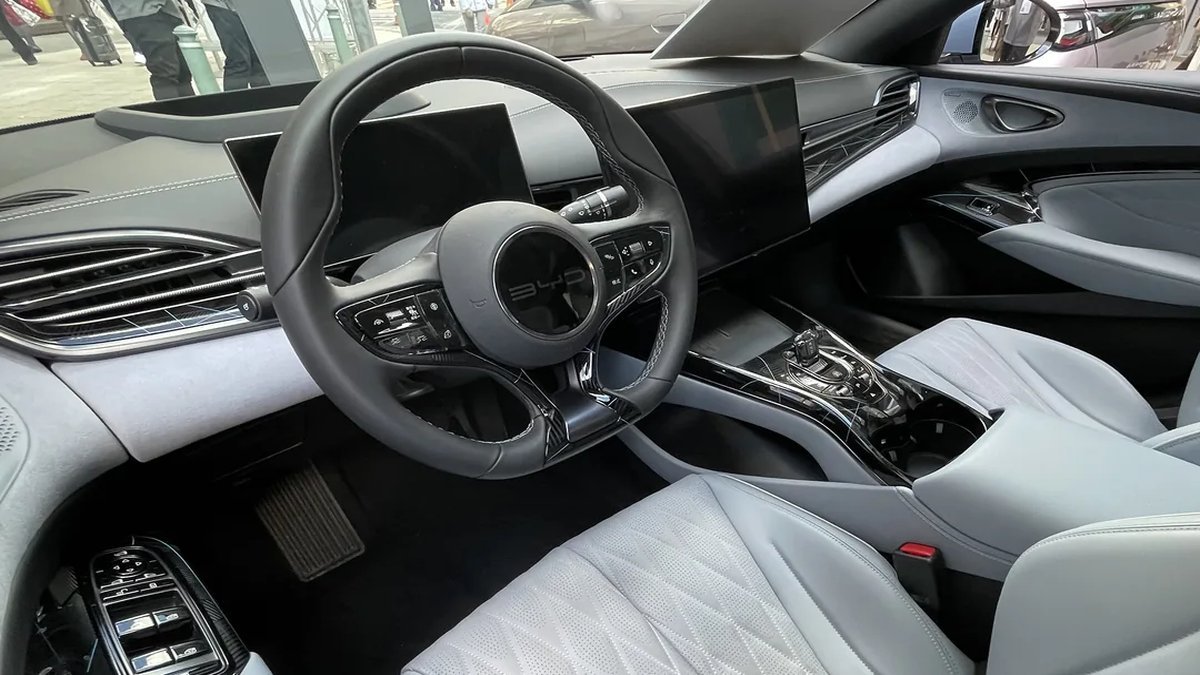
China-spec cars are the most likely to have the rotating hardware and the Chinese voice command. Export versions may use a fixed screen, a different display unit, or a software build that does not expose rotation. If you are importing a car, check the actual unit and trim, not just the brochure.
The same applies to the screen size: a 15.6-inch display on a top trim does not mean every trim in the range gets it. Use the VIN or ask the dealer for a photo of the interior before you buy.
Care tips for the rotating mechanism
- Do not push or pull the screen by hand. Use the button, voice command, or menu.
- Clean with a soft microfibre cloth; avoid pressure on the edges and hinges.
- Keep the area around the hinge free of coins, cards, and debris.
- Do not hang air-fresheners or accessories from the screen.
- Install OTA updates when available; they can fix rotation and touch issues.
FAQ
Do all BYD cars have a rotating screen?
No. Most BYD models with the floating DiLink screen offer it on at least some trims, but lower trims and some export versions use a fixed display. Check the trim and model year.
Can I turn off automatic rotation?
Yes. Open the display settings and turn off auto-rotate, or choose the fixed landscape option. The exact menu name varies by software version.
How do I rotate the screen by voice?
On a China-spec car, say “你好小迪,旋转屏幕”. English voice support varies by market; if available, try “Hey BYD, rotate the screen.”
Why is my screen stuck in portrait?
An app may have locked the orientation, or auto-rotate may be off. Close the app, check the display settings, and try the rotate icon again.
Will rotating the screen damage it?
The mechanism is designed for normal use. Damage usually comes from forcing it by hand or trapping an object in the hinge. If it grinds or stops halfway, stop using it and have it inspected.
Can I rotate the screen while driving?
The screen may rotate while the car is moving, but some video and game apps restrict playback for safety. Use voice control or the steering-wheel button so you can keep your eyes on the road.
References
- BYD. 2025 Seagull Owner’s Manual. BYD China, 2025.
- BYD. 2025 Dolphin Owner’s Manual. BYD China, 2025.
- BYD. 2025 Seal Owner’s Manual. BYD China, 2025.
- BYD. 2025 Sealion 06 DM-i Owner’s Manual. BYD China, 2025.
- BYD. 2025 Han DM-i Owner’s Manual. BYD China, 2025.
- BYD. User Manual Download Centre. byd.com/cn/user-manual.
Images: BYD Seal 06 GT interior by The Ride and Place, Wikimedia Commons, CC BY 3.0 (cropped). BYD Seal interior: BYDCN media library.
Looking for a China-spec BYD with the features you want? Browse our BYD models or send us your requirement. We can confirm the screen, trim, and export configuration before you order.

 English
 Portuguese
 French
 Turkish
 Russian
 Arabic
 Spanish